Hoard
A downloadable app for Windows, macOS, and Linux
Steam Cloud is not a backup strategy. Hoard is.
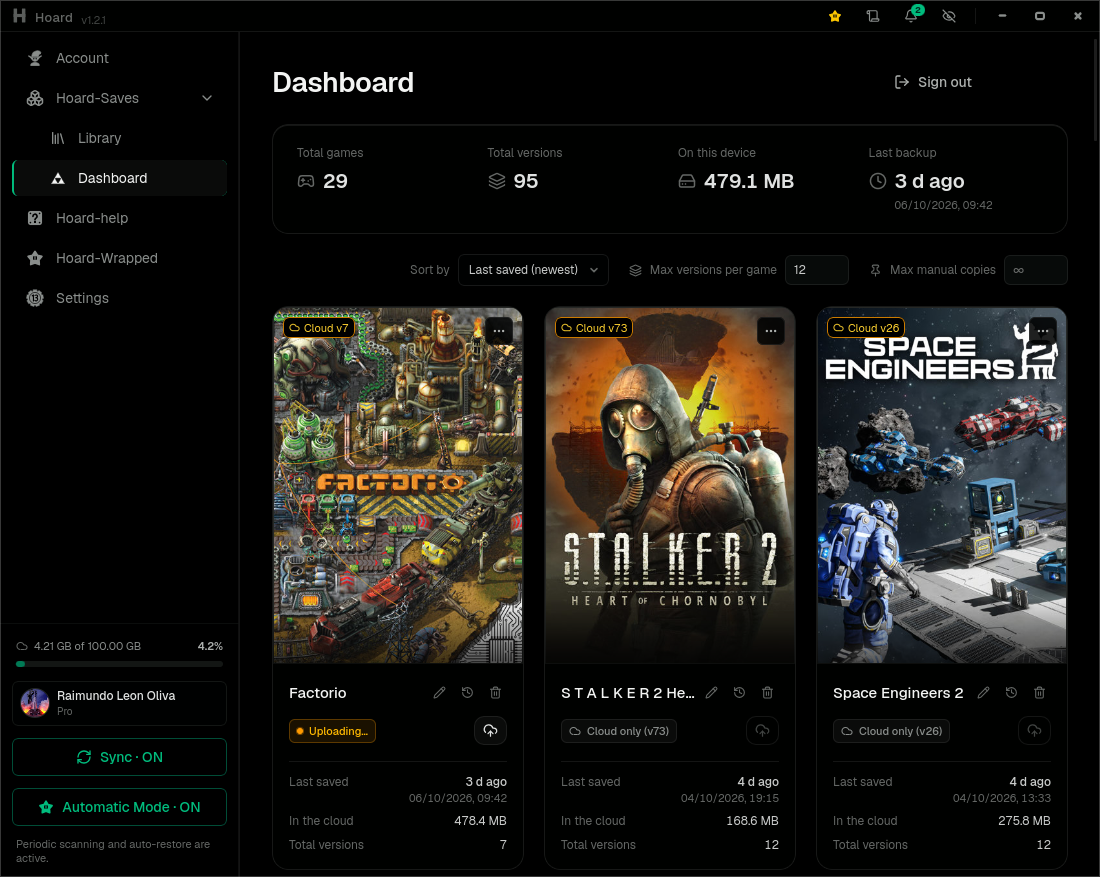
Hoard snapshots your saves every time you stop playing, hashes every file and keeps every version. A corrupted save, another PC overwriting your progress, a launcher that drops the game: you roll back to any earlier version, or pull your whole library onto a fresh machine. Nothing is ever silently overwritten.
WHAT IT DOES
- Finds your games by itself: Steam, Epic, GOG, Xbox, Proton/Wine prefixes and 20+ emulators, out of 22,000+ known games.
- Syncs in the background. The engine runs as a service, so it keeps going with the app closed, also in Steam Deck game mode.
- Every play session is a new version, and you can roll back to any of them.
- Every file is SHA-256 checked on upload and again on restore.
- 10 versions of a 1 GB save take about 1.2 GB, because each backup only uploads the files that changed (dedup).
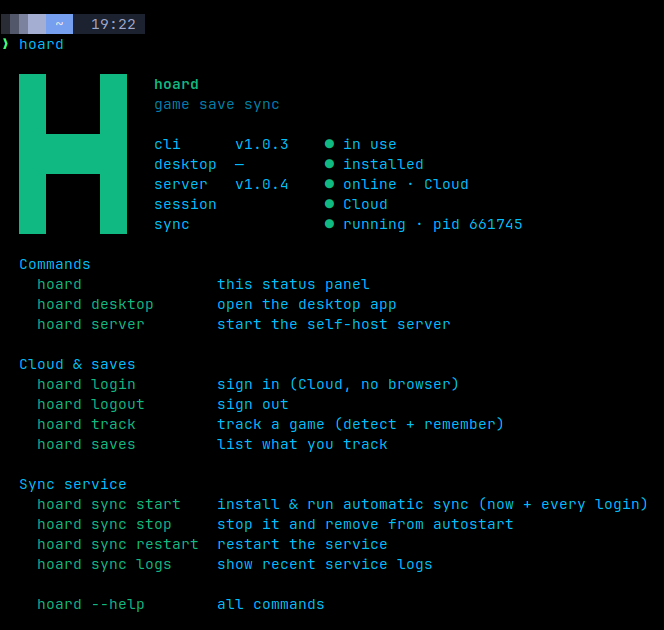
- Works in SteamOS or Brazzite in gaming mode, using hoardd (daemon service).
- Hoard-Cli is how you can talk with the daemon service without using desktop app, in cli mode or gaming mode using a decky-cli plugin.
- AI i know we hate ai, but agentic ai can be used to search in your system about your game saves if hoard dont detect it and you dont want do it manually, this is a optional feature, in case hoard dont detect 1 of your games and you are lazy, is just talk to a AI and say to use hoard-agent.
CLOUD OR SELF-HOSTED
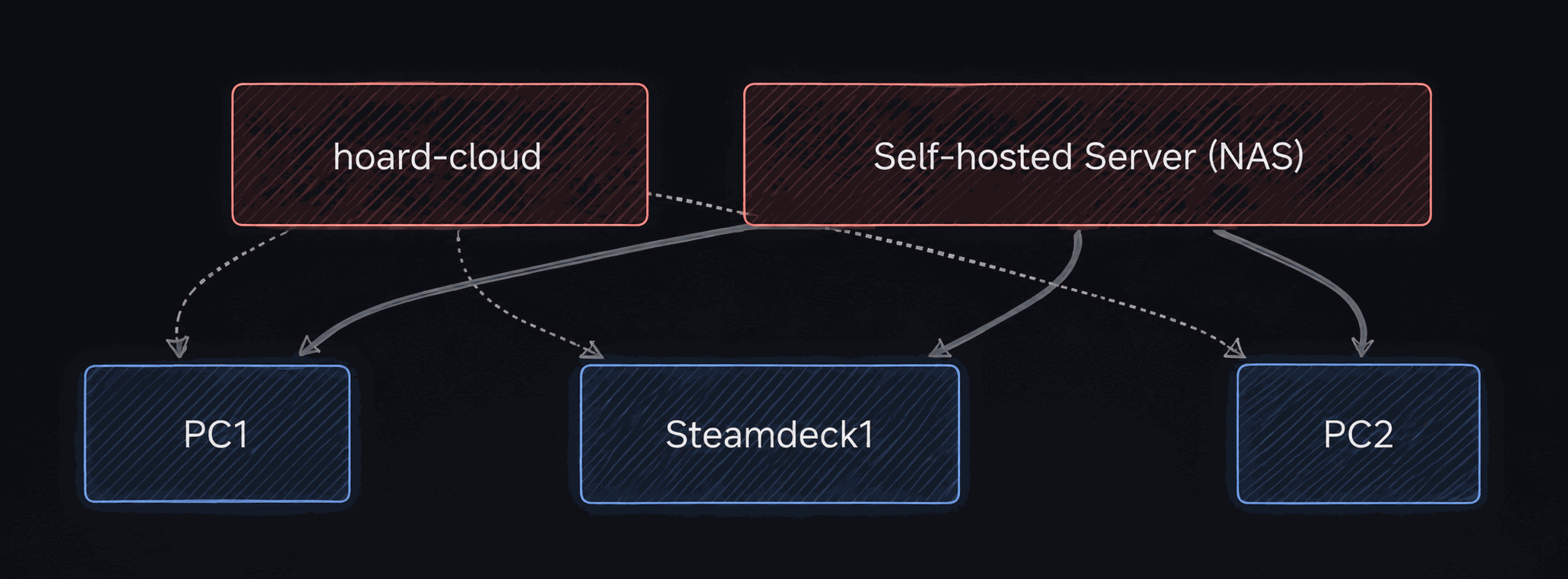
- Hoard Cloud: sign in with Google and play. Free: 2 GB, 3 devices, full version history. Pro: 100 GB optional, 2GB with dedup and compression is good to 80% users.
- Self-hosted: run the server on your own PC, NAS (Docker, Unraid) or S3 bucket. No account, no telemetry, no 2GB limit, but need a server.
Im can help you with any issue in discord or in github issues.
Open source, AGPL-3.0: https://github.com/rleeon/hoard
Website: https://hoard.services
Download
Install instructions
Download Hoard Setup for your system. It works out what your machine needs (app, background service, CLI) and downloads it from GitHub.
- Windows: Setup isn't code-signed yet, so SmartScreen will warn you. Click "More info", then "Run anyway", i dont have money to code signing.
- macOS (Apple Silicon): unzip and open Hoard Setup. If macOS blocks it, go to System Settings > Privacy & Security and click "Open Anyway".
- Linux / Steam Deck: run chmod +x HoardSetup-x86_64, then start it.
Open source, AGPL-3.0: https://github.com/rleeon/hoard
Website: https://hoard.services
Comments
Log in with itch.io to leave a comment.
Any issue im here, if im take more than 12h in reply better try a github issue or talk me in discord.